 (
(









HDMI Extended Functionality: How to Seamlessly Upgrade Your Audiovisual Experience from TV to Conference Room
Whether you are setting up a home cinema with a massive 4K OLED or wiring a multi-display conference room at Kennedy Town Swimming Pool or a corporate HQ, one truth remains: the signal chain is everything. A weak link—whether it's a substandard hdmi cable, a mismatched hdmi splitter, or an incompatible hdmi switcher—can turn an impressive system into a frustrating mess of flickering screens and audio dropouts. In this guide, we break down how HDMI extended functionality can solve the real-world pain points of modern AV, drawing on nearly three decades of infrastructure expertise.
The Core Pain Points of Modern AV Setups
System Compatibility Issues Across Devices
Have you ever plugged a brand-new media streamer into an older AV receiver, only to get a blank screen? That’s the classic handshake failure. Different HDMI versions (1.4, 2.0, 2.1) support different resolutions, refresh rates, and features like eARC. A projector in a boardroom might only accept HDCP 1.4, while a laptop outputs HDCP 2.3. Without proper network solutions architecture in your signal path—or the right hdmi cable with full bandwidth—devices refuse to cooperate. This is why many large-scale integrators, including those serving Hactl and public institutions, rely on engineered cabling and adapters that guarantee backward compatibility. Choosing a certified patch cable or fibre optic cable for long runs also eliminates EDID handshake issues caused by signal degradation.
Limited Use Cases and Physical Constraints
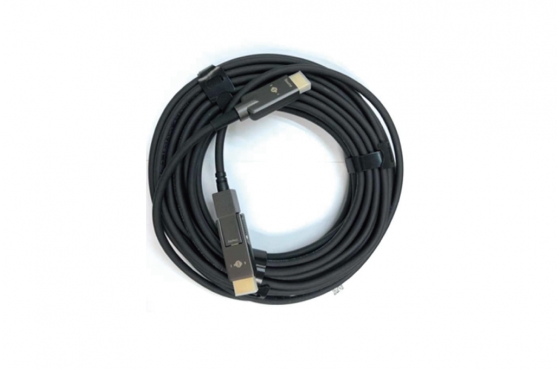
Standard HDMI copper cables struggle beyond 5–10 meters without active boosting, especially at 4K/60Hz or higher. In a typical office or public facility—like a large sports complex or the new Kennedy Town Swimming Pool—the source device may be 20 meters from the display. You might need to route through walls, ceilings, or cable trays. That’s where fibre optic cable (sometimes called fibre cable or om3 fiber) becomes a game-changer. Optical HDMI cables can carry uncompressed 4K/8K signals over 100 meters with zero interference. Similarly, integrating a ptz camera system in a lecture hall requires both video and control signals over long distances—something a hybrid fiber optic cable solution handles elegantly. At Eight Limited, we frequently recommend hybrid fibre solutions for installations where copper simply won't work.
Unstable Signal Transmission and Disconnections
Intermittent black screens or audio glitches are often caused by poor shielding, loose connectors, or inadequate bandwidth. In environments with heavy electromagnetic interference (think elevators, motorized equipment, or near power lines), an unshielded hdmi cable becomes an antenna for noise. This is especially problematic for critical systems like digital signage or security monitoring with dvr inputs. For corporate presentation rooms using an hdmi switcher to toggle between multiple laptops, a single weak cable can crash an entire meeting. High-retention connectors, triple shielding, and proper grounding—as found in professional-grade control cable and ethernet cable assemblies—are non-negotiable. We have seen installations where simply upgrading to a cat8 rj45 backbone for AV-over-IP solved every dropout issue.
Solving Signal Transmission for Large Displays
How HDMI Cables Deliver Stable, Long-Distance Signals
Not all tv cable or hdmi cable is created equal. For long-distance runs (over 8 metres), passive copper cables often fail to maintain signal integrity. Active HDMI cables incorporate equalizer chips that compensate for signal loss, while hybrid fibre optic cable uses lasers to transmit data with near-zero loss. For instance, an optical HDMI cable can send 18Gbps (4K/60Hz HDR) over 30 metres or more without any booster. In a boardroom that needs to feed a hdmi splitter matrix to multiple screens, using a high-quality fibre hybrid ensures each display receives the same pristine signal. Moreover, integrating a structured cabling approach—with proper patch cable management and wall mount cabinet for the head-end equipment—keeps the physical layer reliable.
Overcoming Bandwidth Bottlenecks for 4K and Beyond
4K @ 60Hz with 4:4:4 chroma requires 18Gbps bandwidth; 8K @ 60Hz needs 48Gbps. Many older HDMI 2.0 cables simply can’t handle that bandwidth, leading to color subsampling or dropped frames. The solution? Use ultra high-speed HDMI cables (48Gbps certified) for any new installation, even if you only need 4K today. Future-proofing with cat8 ethernet cable for AV-over-IP backbones also makes sense, as it supports 40Gbps up to 30 metres. For datacentre-grade performance, consider om3 fiber (laser-optimized 50/125µm) with LC connectors; it’s capable of 40G and 100G Ethernet, which is perfect for uncompressed video distribution. When you run a fiber optic cable from a fibre optic cable patch panel to a hdmi switcher via media converters, you eliminate the bandwidth wall entirely.
Ensuring Reliable Connectivity in High-Demand Environments
Reliability is more than just cable quality. It includes connector strain relief, proper termination, and environmental considerations. In facilities like Hactl cargo terminals or large-scale residential complexes, temperature fluctuations and vibration can loosen connections. Using lockable HDMI connectors or reinforced extension socket adapters prevents accidental disconnects. Also, label every patch cable and fibre cable at both ends—this simple step cuts troubleshooting time by 70%. For critical AV systems, we recommend active optical cables with pull-proof connectors and a minimum of 30N retention force. And don't forget cable management: a tidy wall mount cabinet with proper bend-radius protection keeps your fiber optic cable and copper cables safe from damage.
Comparing HDMI Cable Models for Performance
|
Category |
Max Bandwidth |
Max Resolution |
Best For |
|
Standard HDMI (Category 1) |
4.95 Gbps |
1080i / 720p |
Legacy devices, basic tv tuner connections |
|
High-Speed HDMI (Category 2) |
10.2 Gbps |
4K @ 30Hz |
Home theatre, streaming boxes, dvr output |
|
Premium High-Speed HDMI |
18 Gbps |
4K @ 60Hz HDR |
HDR gaming, professional displays, conference rooms |
|
Ultra High-Speed HDMI (48G) |
48 Gbps |
8K @ 60Hz / 4K @ 120Hz |
Future-proof installations, ptz camera systems, high-end cinema |
Standard vs. High-Speed vs. Ultra High-Speed HDMI
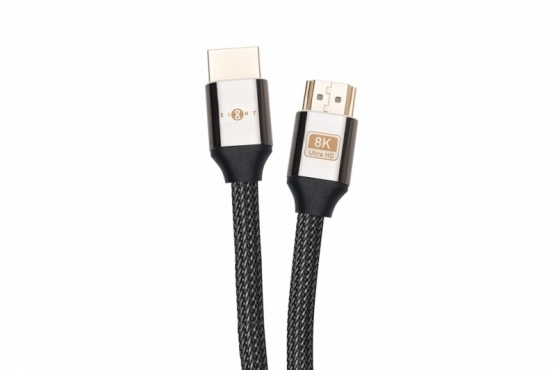
Choosing the wrong HDMI category is one of the most common upgrade mistakes. A Standard cable will not support 4K at any refresh rate. High-Speed (10.2Gbps) can handle 4K/30Hz, which is fine for a tv tuner or digital signage with static content, but not for smooth video. Premium High-Speed (18Gbps) is the baseline for any modern 4K setup. However, if you plan to install an hdmi switcher for multiple 4K sources or a hdmi splitter for distribution, stepping up to Ultra High-Speed (48Gbps) ensures you never have to re-cable. Optical HDMI cables often fall into the Ultra High-Speed category but with the added benefit of extended reach. In our projects, we always specify Premium or Ultra High-Speed for new builds, even if the current source is only 1080p.
Key Performance Metrics: Bandwidth, Shielding, and Build Quality
Bandwidth determines the data capacity, but shielding determines reliability. Triple-shielded cables (foil + braid + drain wire) reject interference better than single-shielded types. For runs near power lines or rj45 bundles, choose individually shielded pairs (STP). Build quality matters: gold-plated connectors resist corrosion, and a robust over-mould prevents breakage at the neck. For speaker wire and control cable, similar principles apply—oxygen-free copper (OFC) and proper gauge (e.g., 14 AWG for long runs) reduce resistance. When selecting hdmi cable for a conference room, look for "24 AWG" or thicker conductors, integrated equalizer chips (for active cables), and certification logos from HDMI Licensing Administrator.
Selecting the Right Cable for Home Theater vs. Corporate Use
Home theatre enthusiasts often prioritise flexibility and aesthetics (thin cables for wall routing). Corporate users need durability and length. For a home system, a hdmi cable with Ethernet (HEAC) allows sharing an internet connection between devices. In a boardroom, you might combine an hdmi switcher with a patch cable for a control system (like Crestron or Extron). For large venues, an om3 fiber backbone with media converters is the gold standard. At Eight Limited, we stock a wide range: from flexible patch cable assemblies to armoured fibre optic cable for outdoor or industrial environments. The key is to match the cable to the application’s bandwidth, distance, and physical stress requirements.
The Technology Behind Synchronized Audio and Video
HDMI’s Built-in Audio Return Channel (ARC/eARC)
ARC allows you to send audio from your TV back to a soundbar or AV receiver over the same hdmi cable that carries video from the source. eARC (enhanced Audio Return Channel) is a major upgrade: it supports uncompressed Dolby Atmos, DTS:X, and up to 192kHz/24-bit audio. This means you can connect all your sources (game console, tv tuner, streaming stick) to the TV, and then send lossless audio to your sound system via a single cable. For a conference room, eARC simplifies cabling by eliminating separate audio return paths. To use eARC, both your TV and sound system must support HDMI 2.1 with eARC, and you need a Premium or Ultra High-Speed hdmi cable. We often pair this with a high-quality extension socket for wall-mounted TVs to keep connections clean.
Lip-Sync Accuracy for Distraction-Free Viewing
Lip-sync errors occur when audio lags behind video due to processing delays in displays, soundbars, or AV receivers. HDMI’s automatic lip-sync correction (based on the audio/video latency information) usually works—but only if the cable bandwidth is sufficient. Bandwidth bottlenecks can introduce micro-stutters that throw sync off. In a professional environment like a control room or a ptz camera monitoring station, even 20ms of delay can be disorienting. Using a low-latency hdmi cable (active optical types often have minimal processing delay) and enabling “Game Mode” or “Low Latency” on displays can cut latency to under 10ms. For critical AV, test sync with a test pattern generator before final installation.
Enhancing Immersion with High-Resolution Audio Passthrough
HDMI is the only consumer interface that can carry uncompressed multi-channel audio (up to 32 channels) and high-resolution stereo (up to 192kHz/32-bit). For a home theatre, that means you can hear every whisper, footstep, and explosion exactly as the sound engineer intended. For corporate, high-res audio passthrough matters for telepresence rooms where voice clarity is critical. When you use an hdmi splitter or hdmi switcher, ensure it supports audio passthrough without downsampling. Cheap splitters often strip high-definition audio; professional-grade units preserve the bitstream. Pair with quality speaker wire and microphone cabling for full-spectrum sound.
Transforming Audiovisual Experiences with the Right HDMI
Upgrading Home Theater Systems for Cinematic Quality
Imagine a 77” OLED, a 7.2.4 Dolby Atmos system, and a 4K Blu-ray player. Without the right hdmi cable—specifically Ultra High-Speed 48Gbps—you may not get HDR10+ or dynamic metadata. Even fiber optic cable versions now support full 48Gbps over long distances, making it possible to locate your AV rack in a closet 20 metres away. For a clean installation, use in-wall rated hdmi cable (CL2/CL3) and a wall mount cabinet to house your hdmi switcher, media player, and dvr. Don’t overlook the tv cable from your lnb (satellite) or antenna: a high-quality coaxial tv cable ensures you capture all free-to-air channels in pristine HD. At Eight Limited, we offer pre-terminated optical HDMI cables in custom lengths to eliminate guesswork.
Empowering Conference Rooms with Seamless Presentations
In a modern meeting space, presenters expect to walk in, plug in a laptop, and see their content instantly on a 86” display—or multiple displays via an hdmi splitter. But many conference rooms suffer from “cable spaghetti” and signal loss. Deploying a central hdmi switcher with auto-switching reduces the need for manual intervention. For long runs from the floor box to the ceiling-mounted projector, use an active or optical hdmi cable. And for the most demanding setups (like control rooms at Hactl or large training facilities), a fibre optic cable backbone with HDMI over IP gives you unlimited scalability. Pair with a reliable network solutions infrastructure using cat8 rj45 patch panels for the control network. Even the presentation extension socket should be integrated into a custom wall mount cabinet for a sleek finish.
Eight Limited HDMI Cable Series – Tailored for Large-Scale Setups
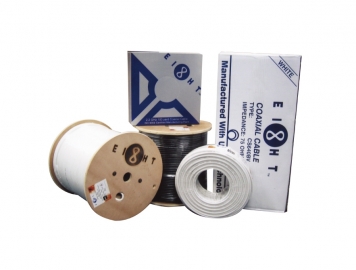
Eight Limited’s HDMI cable series is engineered specifically for Hong Kong’s demanding commercial and residential landscape. Whether you need a rugged optical fibre optic cable for a 50-metre run across a sports centre, a flexible patch cable for a server rack, or a premium hdmi cable with Ethernet for a smart home, we deliver consistent performance. Our stock includes ultra high-speed HDMI certified for 48Gbps, om3 fiber breakout cables, and adapters for hdmi switcher and hdmi splitter integration. All products undergo benchtop testing to ensure compliance with industry standards. For projects requiring tv tuner connectivity, lnb signal distribution, or ptz camera control, our team provides end-to-end consultation. We don't just sell cables—we provide network solutions that guarantee your AV investment performs flawlessly for years.
Frequently Asked Questions
What is the maximum length for a standard HDMI cable?
Passive copper HDMI cables typically reach up to 5-10 metres for 4K/60Hz. For longer runs, an active copper or fibre optic cable (like our hybrid series) can extend up to 100 metres without signal loss. For runs over 100m, consider HDMI over IP with cat8 ethernet cable.
Can I use a regular RJ45 cable for HDMI extension?
Yes, with an HDMI over IP extender set, you can use standard rj45 network solutions cabling (Cat6 or better). For best performance, use cat8 cable for distances up to 30m. However, for native uncompressed video, optical fiber optic cable is superior.
Do I need a special cable for eARC?
Yes, to take full advantage of eARC (enhanced Audio Return Channel), you need an HDMI cable that supports 48Gbps bandwidth (Ultra High-Speed). Standard or High-Speed cables may not properly carry the uncompressed audio.
What's the difference between OM3 fibre and standard fibre cable for AV?
OM3 fiber is a multimode fibre (50/125µm) optimised for laser transmission at 850nm, supporting 10G up to 300m. For AV, it’s commonly used for HDMI optical cables and backbone distribution. Standard fibre might be single-mode, which is suited for longer distances (10km+), but requires more expensive optics.
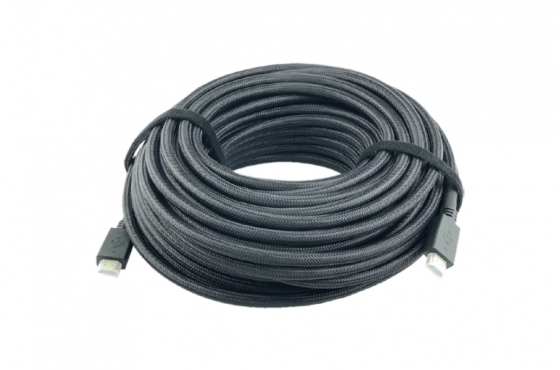
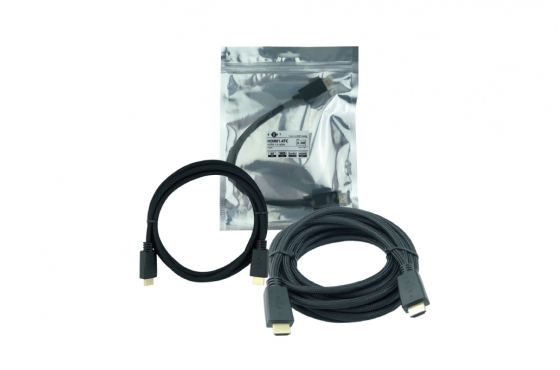
HDMI (Patch Cable)
HDMI cable is a digital cable used for transmitting high-definition audio and video signals. It can send both video and audio signals through a single cable. It is the standard connection method for modern TVs, computers, game consoles, and audio/video equipment.